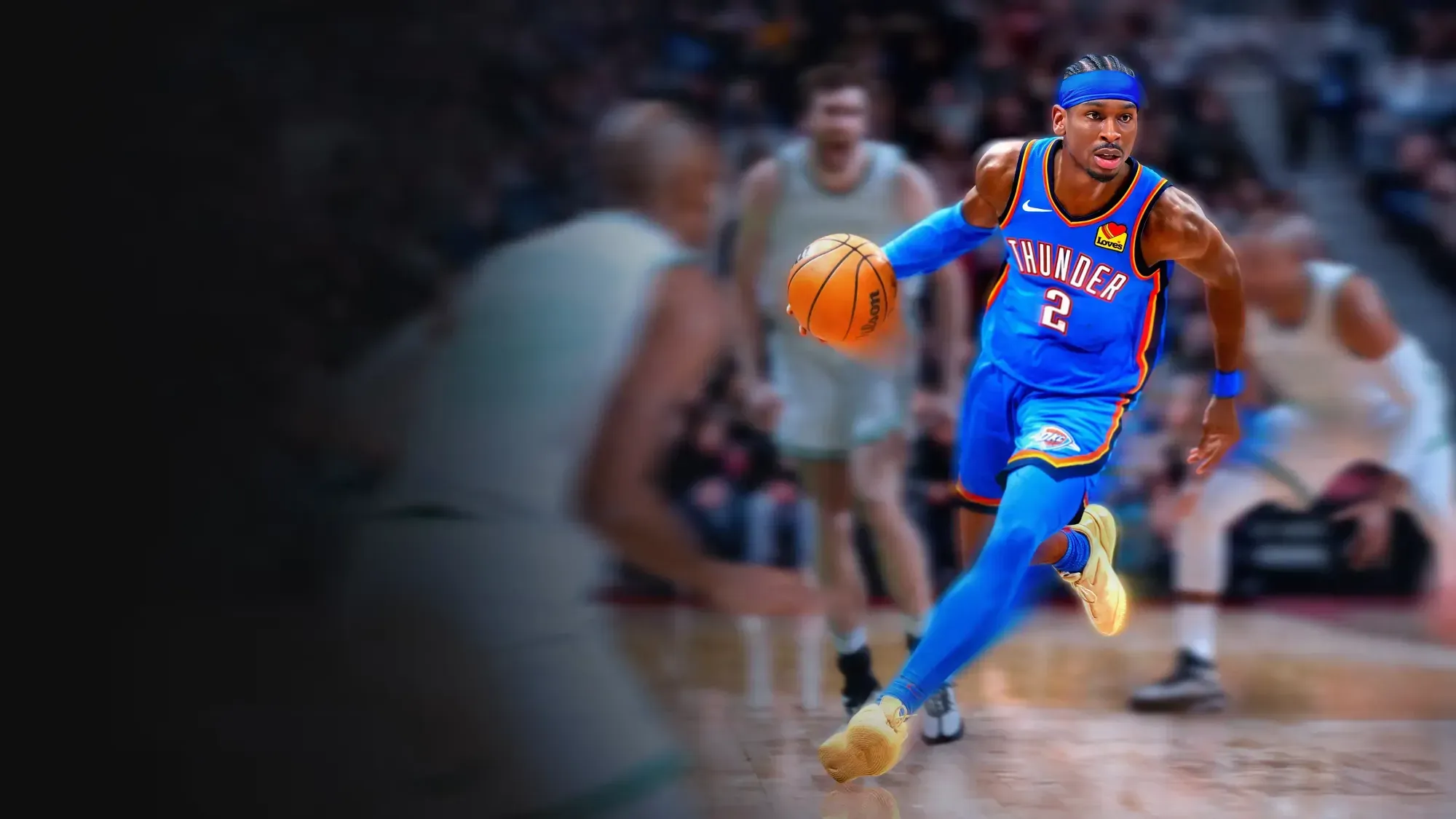
NBA2K26 Autogreen Script README Manual
The God of Scripts NBA 2K26 Autogreen Script
Version: Standard Edition | Last Updated: August 28, 2025
Join our Discord: https://discord.com/invite/2BQ5bYzfXp
For support, open a ticket in Discord or email [email protected]
Contents
1 Welcome 2
2 Features Overview 2
3 Setup Instructions 2
3.1 Load the Script . . . . . . . . . . . . . . . . . . . . . . . . . . . . . . . . 2
3.2 Configure Your Zen & Controller Bypass . . . . . . . . . . . . . . . . . . 2
3.3 Button Controls . . . . . . . . . . . . . . . . . . . . . . . . . . . . . . . . 3
4 Using the Menu System 3
4.1 Enter the Menu . . . . . . . . . . . . . . . . . . . . . . . . . . . . . . . . 3
4.2 Exit the Menu . . . . . . . . . . . . . . . . . . . . . . . . . . . . . . . . . 3
4.3 Navigate Pages . . . . . . . . . . . . . . . . . . . . . . . . . . . . . . . . 3
4.4 Toggle Settings / Adjust Values . . . . . . . . . . . . . . . . . . . . . . . 3
5 Feature Details 4
5.1 Auto Green (Page 1) . . . . . . . . . . . . . . . . . . . . . . . . . . . . . 4
5.2 Tempo Speed (Page 2) . . . . . . . . . . . . . . . . . . . . . . . . . . . . 4
5.3 Stability Enhancer (Page 3) . . . . . . . . . . . . . . . . . . . . . . . . . 4
5.4 Turbo Shots (Page 4) . . . . . . . . . . . . . . . . . . . . . . . . . . . . . 4
5.5 RS Shooting (Page 5) . . . . . . . . . . . . . . . . . . . . . . . . . . . . . 5
5.6 Insta Green (Page 6) . . . . . . . . . . . . . . . . . . . . . . . . . . . . . 5
5.7 Insta Speed (Page 7) . . . . . . . . . . . . . . . . . . . . . . . . . . . . . 5
5.8 Insta Tempo (Page 8) . . . . . . . . . . . . . . . . . . . . . . . . . . . . . 6
5.9 Remap Square (Page 9) . . . . . . . . . . . . . . . . . . . . . . . . . . . 6
6 Troubleshooting 6
6.1 Script Not Working? . . . . . . . . . . . . . . . . . . . . . . . . . . . . . 6
6.2 Menu Issues? . . . . . . . . . . . . . . . . . . . . . . . . . . . . . . . . . 6
6.3 Controller Bypass Lost? . . . . . . . . . . . . . . . . . . . . . . . . . . . 6
6.4 Inputs Feel Off? . . . . . . . . . . . . . . . . . . . . . . . . . . . . . . . . 6
7 Need Help? 7
8 Conclusion 7
1
[email protected] 04 Sep 2025
3 SETUP INSTRUCTIONS The God of Scripts
1 Welcome
Welcome to The God of Scripts NBA 2K26 Autogreen Script! This script is designed
to enhance your gameplay with essential features like optimized shot timing and an
interactive menu system for easy customization. Whether you’re a casual player or a
competitive baller, this script offers a powerful way to dominate the court with automated
green shots. Follow the instructions below to get started and unlock its full potential.
2 Features Overview
• Auto Green (Shot Timing): Perfect your shooting rhythm with customizable timing
settings.
• Turbo Shots: Switch between Hop Jumper and Turbo Fade modes for advanced
shooting.
• RS Shooting: Hold and release the right stick to trigger a timed flick-up shot.
• Insta Green: Execute a quick shot with automated timing and tempo at the click
of a button.
• Insta Speed Adjustment: Adjust how long the right stick is held during an Insta
Green shot (in milliseconds).
• Insta Tempo Adjustment: Adjust the preset tempo for the Insta Green shot (in
milliseconds).
• Stability Enhancer: Improves shot precision with an adjustable stabilization setting.
• Remap Square: Choose whether Square-actions use L3 or R3 as the trigger (applies
to both PS and Xbox).
3 Setup Instructions
3.1 Load the Script
• Drag and Drop: Open Zen Studio and drag the script file into any available slot.
• Slot Selection: Use any open slottheres no restriction.
3.2 Configure Your Zen & Controller Bypass
• Console Setup: Connect your Zen to your console.
– PS5: Watch the setup video at https://youtu.be/LkivYy4WKMc?si=vYB9tGqrQaXWtbpE
– PS5 DualSense Edge: See https://youtu.be/3lhxGJBuOWA?si=4RpkIxsalyCyBW O
– Xbox: Refer to https://youtu.be/t4IXAWA8vy4?si=kNisfkwpq2H-7Ane
• Controller Bypass: Reapply the controller bypass through Zen Studio every time
you restart your console or unplug your controller. Without an active bypass,
features like Auto Green and Insta Green will not function.
2
[email protected] 04 Sep 2025
4 USING THE MENU SYSTEM The God of Scripts
• Script Installation: Learn how to install scripts at https://youtu.be/mugQIOz9AQ?si =
zgmBKifzW bqeY cun
3.3 Button Controls
• Default Mapping:
– Square (PS) or X (Xbox) is rerouted to L3 (PS) or Left Stick (Xbox) by default
for shooting/steals.
– If you enable Remap Square (Page 9), Square-functions will use R3 (PS/Xbox)
instead.
4 Using the Menu System
4.1 Enter the Menu
• Hold LT (Xbox) or L2 (PS) and press MENU (Xbox) or OPTIONS (PS).
• The OLED lights up blue, and youll feel a vibration to confirm activation.
4.2 Exit the Menu
• Press B (Xbox) or CIRCLE (PS) while in the menu.
• The OLED turns off, and youll feel a vibration to confirm exit.
4.3 Navigate Pages
• Hold LT (Xbox) or L2 (PS) and press LEFT or RIGHT to cycle through the 9
menu pages:
1. Auto Green
2. Tempo Speed (ms)
3. Stability Enhancer
4. Turbo Shots
5. RS Shooting
6. Insta Green
7. Insta Speed (ms)
8. Insta Tempo (ms)
9. Remap Square
4.4 Toggle Settings / Adjust Values
• Hold LT (Xbox) or L2 (PS), then press UP or DOWN to toggle features on/off or
change numerical values.
• A brief color flash and vibration confirm your selection (green = ON, red = OFF).
• For pages that adjust timing or values (Tempo Speed, Stability Enhancer, Insta
Speed, Insta Tempo), pressing UP or DOWN increases or decreases the value within
its allowed range.
3
[email protected] 04 Sep 2025
5 FEATURE DETAILS The God of Scripts
5 Feature Details
5.1 Auto Green (Page 1)
• Description: This feature reroutes your Square (PS) or X (Xbox) button to per-
form rhythm shooting automatically. The script only automates the tempo at a
consistent speed and does not time the shots for you.
• Activation: Enabled by default. When active, pressing X (Xbox) or Square (PS)
(or your remapped button) performs a perfectly timed flick-up shot.
• Toggle: Hold LT (Xbox) or L2 (PS) + UP to enable, LT (Xbox) or L2 (PS) +
DOWN to disable.
5.2 Tempo Speed (Page 2)
• Description: This value determines the tempo speed when Square (PS) or X (Xbox)
is released, correlating directly with the Auto Green feature. Adjust this setting in
MyCourt to perfect the timing for your playstyle.
• Range: 0 300 ms (default = 50 ms).
• Adjust: Hold LT (Xbox) or L2 (PS) + UP to increase, LT (Xbox) or L2 (PS) +
DOWN to decrease. Values stay within 0 and 300 ms.
5.3 Stability Enhancer (Page 3)
• Description: This feature helps stabilize shot precision, enhancing your overall
shooting accuracy. The adjustment allows for fine-tuning to suit your preferences.
• Range: 10 100 (default = 34).
• Adjust: Hold LT (Xbox) or L2 (PS) + UP to increase, LT (Xbox) or L2 (PS) +
DOWN to decrease. Values stay within 10 and 100.
5.4 Turbo Shots (Page 4)
• Description: Switch between Hop Jumper (standard flick) and Turbo Fade (reversed
flick for fadeaways).
• Controls:
– Hold LT (Xbox) or L2 (PS) + UP to select Hop Jumper.
– Hold LT (Xbox) or L2 (PS) + DOWN to select Turbo Fade.
• Usage: While shooting, hold RT (Xbox) or R2 (PS) and press X (Xbox) or Square
(PS)script uses the selected flick direction.
4
[email protected] 04 Sep 2025
5 FEATURE DETAILS The God of Scripts
5.5 RS Shooting (Page 5)
• Description: Use the right stick to shoot instead of X (Xbox) or Square (PS).
• How It Works:
– Hold and move the right stick to start your shot. The script will flick the stick
in the opposite direction to handle the shot timing, using the timing set in
Tempo Speed (Page 2).
• Toggle: Hold LT (Xbox) or L2 (PS) + UP to enable, LT (Xbox) or L2 (PS) +
DOWN to disable.
5.6 Insta Green (Page 6)
• Description: This script handles the timing and tempo for you with a single button
click, allowing you to shoot by tapping the right stick button instead of holding X
(Xbox) or Square (PS).
• How It Works:
– If Remap Square is set to Left Stick (Xbox) or L3 (PS) (default): Press Right
Stick (Xbox) or R3 (PS) to activate an Insta Green shot.
– If Remap Square is set to Right Stick (Xbox) or R3 (PS): Press Left Stick
(Xbox) or L3 (PS) to activate an Insta Green shot.
– The script holds the right stick (down or up based on Turbo Shots mode) for
your chosen Insta Speed (Page 7), then flicks up automatically after the Insta
Tempo (Page 8).
• Toggle: Hold LT (Xbox) or L2 (PS) + UP to enable, LT (Xbox) or L2 (PS) +
DOWN to disable.
5.7 Insta Speed (Page 7)
• Description: Controls how long the right stick is held during an Insta Green shot,
allowing you to adjust the timing duration.
• Range: 100 1000 ms (default = 520 ms).
• Adjust:
– Hold LT (Xbox) or L2 (PS) + UP to increase by 1 ms (or 10 ms if RB (Xbox)
or R1 (PS) is held).
– Hold LT (Xbox) or L2 (PS) + DOWN to decrease by 1 ms (or 10 ms if RB
(Xbox) or R1 (PS) is held).
• Values stay between 100 and 1000 ms.
5
[email protected] 04 Sep 2025
6 TROUBLESHOOTING The God of Scripts
5.8 Insta Tempo (Page 8)
• Description: Controls the preset tempo, determining the timing between phases of
the Insta Green shot before the final flick-up.
• Range: 0 300 ms (default = 50 ms).
• Adjust:
– Hold LT (Xbox) or L2 (PS) + UP to increase, LT (Xbox) or L2 (PS) + DOWN
to decrease.
• Values stay between 0 and 300 ms.
5.9 Remap Square (Page 9)
• Description: Choose whether X (Xbox) or Square (PS)-actions use L3 or R3 as the
trigger (L3 corresponds to Left Stick on Xbox, R3 to Right Stick on Xbox).
• Options:
– L3 (Left Stick on Xbox): X (Xbox) or Square (PS)-functions use L3 (PS) or
Left Stick (Xbox) (default).
– R3 (Right Stick on Xbox): X (Xbox) or Square (PS)-functions use R3 (PS/Xbox)
instead.
• Toggle: Hold LT (Xbox) or L2 (PS) + UP to select R3 (Right Stick on Xbox), LT
(Xbox) or L2 (PS) + DOWN to select L3 (Left Stick on Xbox).
6 Troubleshooting
6.1 Script Not Working?
• Ensure its loaded correctly in Zen Studio.
• Make sure your console is detected (PS4/PS5 or Xbox).
6.2 Menu Issues?
• Verify your Zens OLED is functional and that the script is in an active slot.
6.3 Controller Bypass Lost?
• Reapply the bypass every time you restart your console or unplug your controllerother-
wise, features like Auto Green and Insta Green will not function.
6.4 Inputs Feel Off?
• Check that youre using the correct button for each feature (remember to toggle
Remap Square if you want to swap L3/R3 or Left Stick/Right Stick).
• Make sure Turbo Shots and flick direction are set correctly for your shot type.
6
[email protected] 04 Sep 2025
8 CONCLUSION The God of Scripts
7 Need Help?
• Discord: Join the Official Server for tutorials and support at https://discord.com/invite/2BQ5bYzfXp
• Email: Contact [email protected]
8 Conclusion
Enjoy dominating the court with all the new features of the NBA 2K26 Autogreen Script-
now go get those greens!